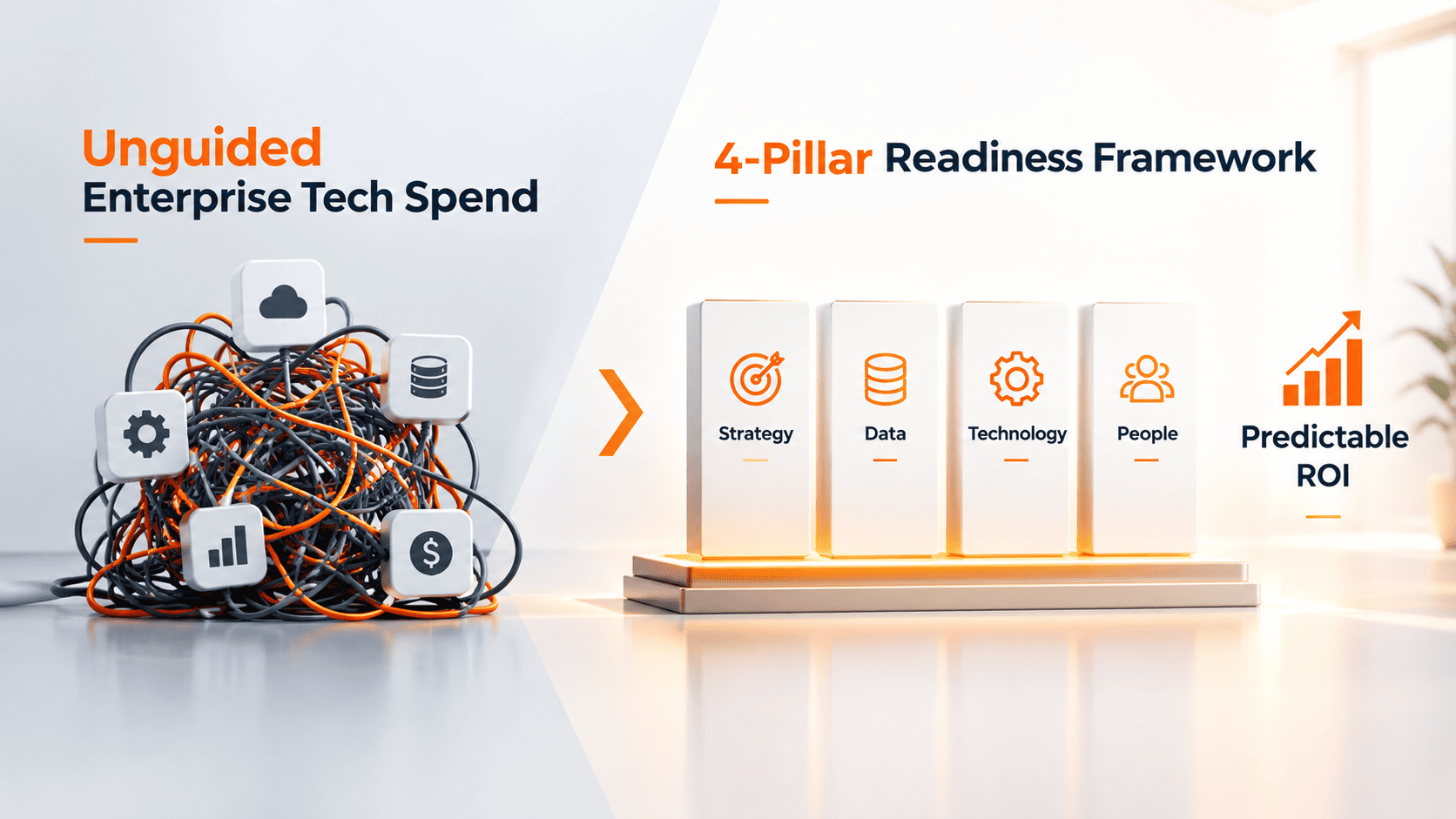
Investing money in enterprise solutions without a proven blueprint is a surefire way to run your business into the debt zone. Although current technology permits businesses to substantially improve their productivity, deploying advanced solutions before optimizing the in-house processes may put the project on hold while additional costs rise.
As per the Gartner’s research, more than 60% of uncoordinated projects on AI solutions or automation do not produce anticipated results. The vast number of problems is attributed directly to the difficulty of organizing the data flow. A careful initial assessment of the organization’s capabilities and weaknesses helps to avoid losses.
Before you start looking for AI consulting for small business or conclude contracts for using business software, use our checklist consisting of 20 questions to evaluate both the fragility and solidity of the business.
Highlighting why unguided deployments fail, IBM CEO Arvind Krishna advised executive teams:
“Take three, four, or five things not 100 and learn how to do them at scale.”
He noted that organizing your internal data and preparing your staff for change matters far more than buying software.
Traditional Software vs. Automated AI Systems: What Is the Difference?
To evaluate whether your organization requires dedicated AI business consulting, you must first understand how modern adaptive tools differ from legacy software architectures.
| Capability Layer | Traditional Software | Legacy Chatbots | Autonomous AI Systems |
| Logic Basis | Hard-coded rules & logic | Decision trees (if/then) | Contextual probabilistic models |
| User Interaction | Manual data entry forms | Fixed menu paths | Natural language objective inputs |
System Access | Isolated single-purpose apps | Static knowledge bases | Reads & writes across core databases |
| Autonomy Level | Low (requires manual input) | Low (scripted branches) | High (executes workflows with guardrails) |
While older systems rely on manual inputs for all stages of the process cycle, modern, automated designs work based on ongoing iterations
- Observation: The system picks up the structured trigger or business objective (e.g. gather data about unpaid invoices of vendors, older than 30 days).
- Reasoning & Planning: The system sifts through available databases, brings into fragments the multi-stage operational activities and picks the right software API tools.
- Execution: The system modifies CRM and ERP records, changes the inventory variants, and informs the vendors.
- Analysis & Adjustment: The system makes sure that the actions undertaken were in compliance with the financial limits, corrects mistakes in the process, and escalates the problematic situations to the upper management.
Pillar 1: Strategy and Use Case Prioritization
Simply using technology because it is popular leads to useless projects that eat up technology resources. Every initiative must connect to the unit economics of the business.
1. Have you identified any one significant business problem that must be resolved?
Work on specific tasks like generating e-commerce sales leads instead of ambiguous tasks like ‘improving overall effectiveness.’
2. Is there any revenue target related to this project?
Set revenue targets beforehand, e.g., reducing order processing time by 40%.
3. Is the executive leadership involved in promoting the transformation?
Successful transformation requires leadership to redistribute operational funds, coordinate departmental timelines, and handle structural changes.
4. Did you first check the existing software solutions available on the market before moving on to customized solutions?
Almost all modern enterprise applications have built-in automation modules. Creating custom solutions where standard SaaS options can work is a bad use of money.
5. Are you trying to eliminate a major bottleneck in operations or just following the latest trends?
Focus on the repetitive manual processes which can bring about revenue loss before using experimental technology.
A comprehensive McKinsey & Company study on enterprise AI adoption reveals that companies achieving high performance from automation are 2.8 times more likely to fundamentally redesign business workflows rather than simply patching new software onto broken processes. Partnering with an expert team for dedicated AI consulting services ensures your organization focuses exclusively on high-yielding, scalable workflows.
Pillar 2: Data Architecture and Governance
Modern automation depends entirely on accurate, accessible operational data. Inadequate data hygiene leads directly to inaccurate predictions and broken workflow execution.
6. Is your data well organized, stored digitally, and easy to access?
If your key operational information is in paper form, chaotic spreadsheets, or jumbled-up outdated systems, you cannot use models based on software.
7. Do you keep your consumer and inventory information up to date and correct?
Having repeated information, inaccurate data fields, and incomplete data will have an adverse impact on decision-making. Here’s how your data can be cleaned and prepared before complicated integrations.
8. Do you have enough operational scope for training models, or dealing with adjustments?
Due to the fact that machine-learning models demand enough historical data for spotting trends.
9. Does your tech infrastructure have an accessible API or database connection?
For automatic systems to operate efficiently, they need to communicate with the main database, CRM, as well as inventory systems.
10. Have you defined data privacy and legal compliance rules?
In order not to face unpleasant surprises, it is necessary to adhere to principles of compliance and to comply with the regulations when sharing operational data with other systems.
Pillar 3: Organizational Capabilities and Team Culture
Technology accounts for only part of the execution equation. Your internal team needs the technical literacy and willingness to incorporate automated tools into daily operational routines.
11. Does your team have the capacity to manage and maintain new systems?
Even automated solutions require prompt engineering, performance monitoring, and occasional human oversight.
12. Is your company culture open to adopting new software workflows?
Organizational resistance stalls technology adoption. Address job security concerns early by framing automation as an administrative assistant that removes repetitive tasks.
13. Have you appointed an internal project champion?
Every technology deployment needs a dedicated internal leader to oversee milestone delivery, manage vendor performance, and enforce timelines.
14. Is a portion of your implementation budget reserved for staff training?
Purchasing software subscriptions without educating your workforce on proper usage leads to low platform adoption.
15. Is your team prepared for an iterative, multi-phase deployment?
System accuracy improves over time; your team must be ready to optimize operational workflows based on initial real-world metrics.
💡 Is your technology infrastructure ready for automated workflows?
Avoid spending capital on software trials without a clear strategy. Book a free 15-minute operational audit with our strategy team to identify your top three high-impact automation use cases.
Pillar 4: Financial and Operational Execution
Effective execution planning can prevent unplanned surges in expenses. With the help of a specialized business consultant in ai, you can calculate software maintenance, API usage costs, and licensing fees and initial configuration expenses accurately.
16. Have you calculated the Total Cost of Ownership (TCO)?
Take into account software licensing, usage of compute/API, hours for training the internal team, and ongoing technical support.
17. Is your software infrastructure modern and reliable?
Creating custom applications on old tech stacks can lead to bugs in your software and unexpected downtimes of the system.
18. Do you have documented Standard Operating Procedures (SOPs) available?
Automating processes requires stable business processes. Automating your disorganized manual process is just speeding up the errors made during this process.
19. Have you confirmed Service Level Agreements (SLAs) of your vendors?
Make sure third-party companies guarantee stable uptime of their platform and agreed not to train their models based on your confidential data.
20. Do you have a backup plan in case of edge case failures?
Make sure the manual procedures exist in your company in order to keep your customer experience uninterrupted during software downtime.
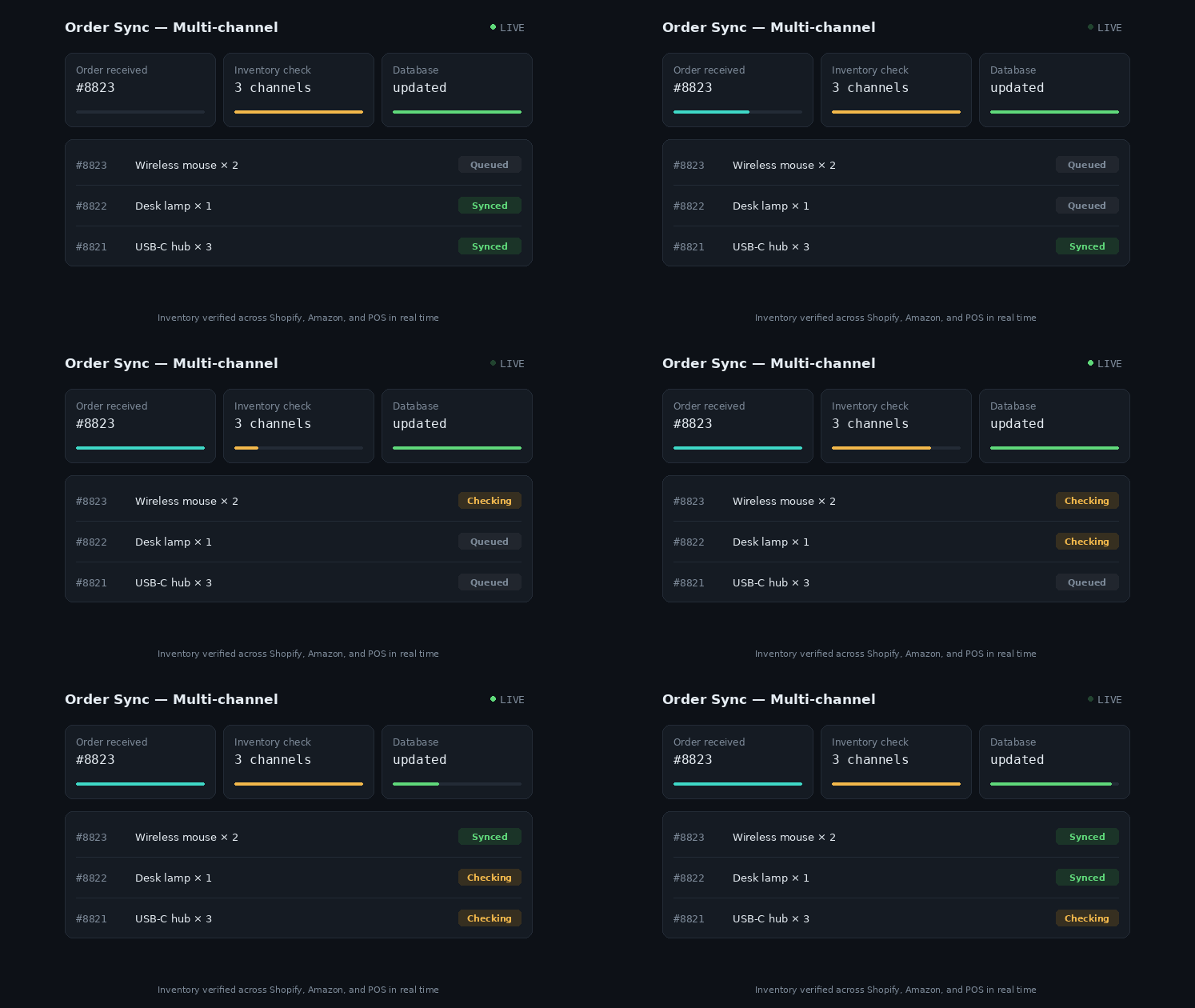
Reviewing operational metrics internally before committing capital prevents deployment failures. For example, we helped a mid-market retailer cut manual order processing costs by 64% by restructuring their inventory database and integrating real-time API syncs—proving that organized data foundations deliver immediate return on investment.
The 4-Phase Roadmap for Software Implementation
Successfully deploying new software solutions requires a structured, phased methodology to manage risk and demonstrate value early.
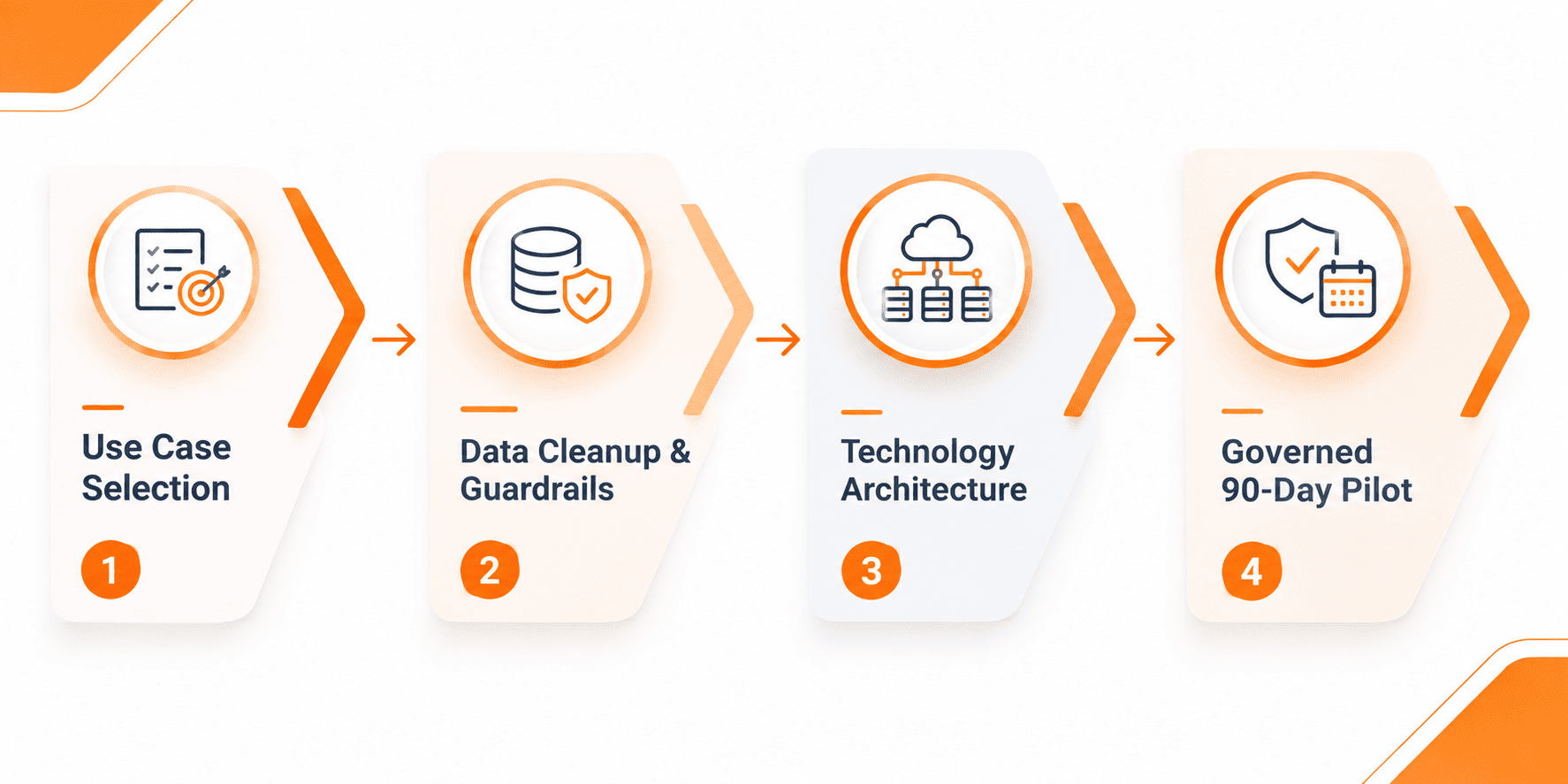
Step 1: Identify Key Use Case
Scope out specific use cases instead of general ones such as ‘automating operations’. Being clearer and selecting a single operation that can be used repetitively with measurable outcomes is a better approach. For example, choosing ‘automating initial verification of customer refunds’.
Step 2: Ensure Data Cleaning and implement Guardrails
In this step, organizations have to ensure cleaned-up operational databases with strict limits on what can be performed by the system. This means differentiating between software automation and what requires sign-off.
Step 3: Technology Selection
In this step, companies can assess if they need ready-to-go off-the-shelf products or if they need to come up with some customized integrations.
Step 4: 90-day limited pilot implementation
The final step includes the pilot being implemented in a limited manner while the team is still present. The progress can be monitored in terms of speed of processing, errors in the system, and how many instances of human intervention are required.
🚀 Accelerate Your Automation Strategy
Ready to streamline manual business operations and deploy reliable automation across your enterprise?
Frequently Asked Questions (FAQs)
The costs are determined by the level of complexity of operations. While using existing SaaS solutions can cost only some hundred dollars per month, developing custom made AI consulting systems will require a much bigger investment.
That is not correct. Many small and medium businesses employ ready-made SaaS solutions and involve technical consultants, so there is no necessity to hire a permanent team of engineers.
The process of assessment can take about one to two weeks and includes inspection of one’s own IT systems, cleanliness of the database, conversations with managers and designing operations processes.