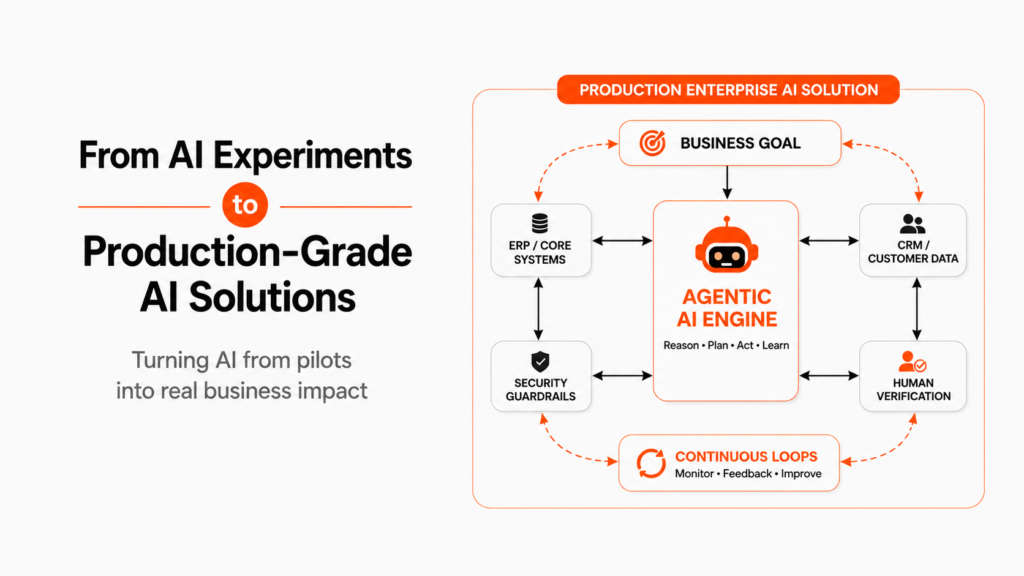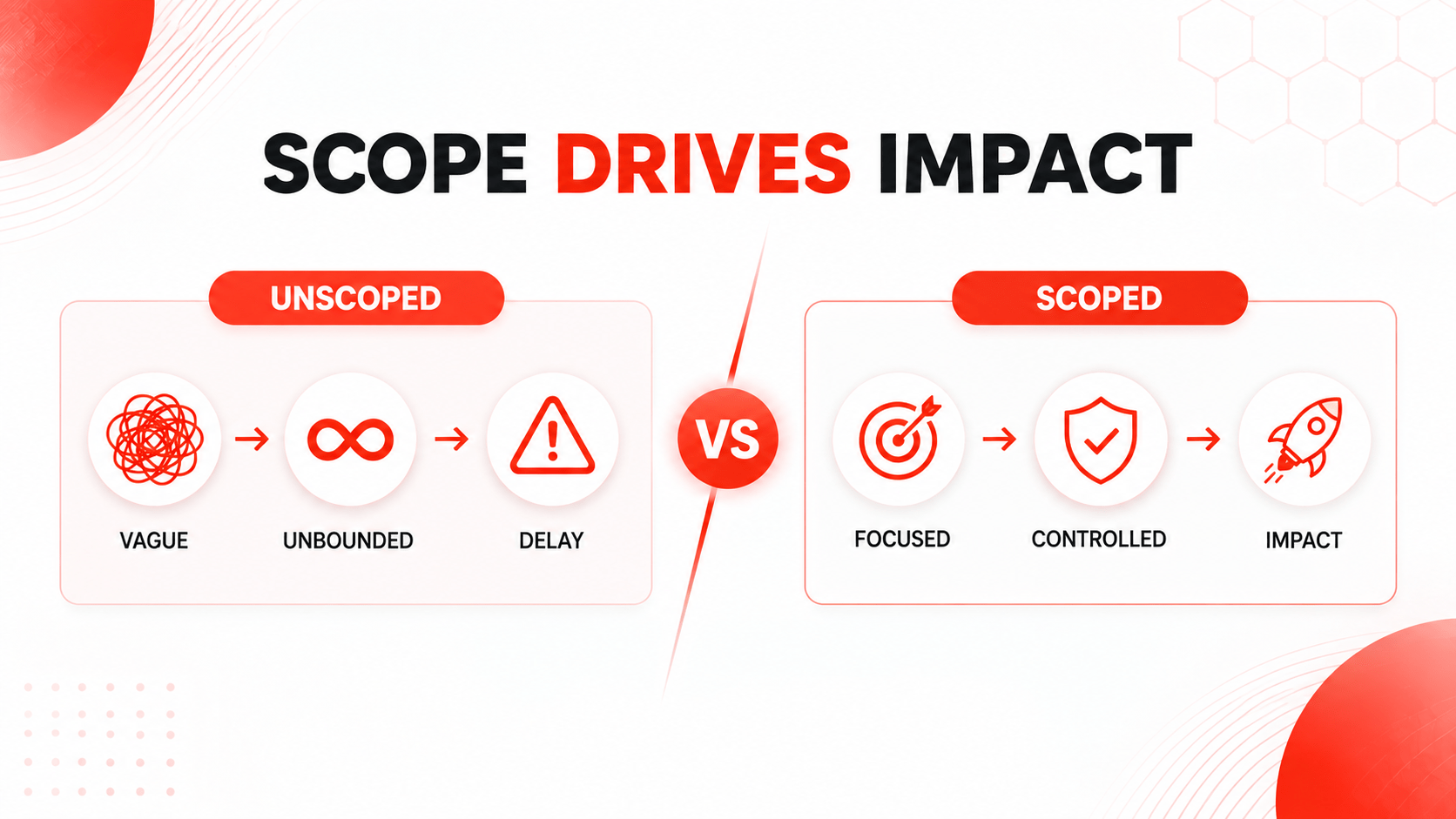
Most enterprise AI projects do not proceed as planned, not because of a lack of AI effectiveness, but rather because of the effort being too inclusive. The desire to create a universal “all-knowing assistant” can bring about a multitude of data and security concerns and lead to lengthy testing delays.
A more concentration-based approach would allow more efficient and less costly AI assistant development. Instead of trying to automate multiple processes at once, companies should focus on the one process that would work.
Collaborating with a reliable and experienced AI development enterprise can help organizations in defining a clear use case for AI implementation and establish acceptable boundaries for the project. In case the process is defined well, it is possible to create AI assistants in several weeks rather than spending ages executing pilot projects.
As Salesforce Chair and CEO Marc Benioff described the rise of agentic AI:
“Agentic AI is a new labor model, new productivity model, and a new economic model.”
This guide explains how to define your first AI agent project, set clear integration boundaries, and choose the right partner to build it.
Unscoped vs. Well-Scoped AI Agent Projects: Key Differences
Before committing engineering resources, compare how project boundaries impact execution timelines and enterprise returns.
| Project Dimension | Unscoped AI Project | Scoped Enterprise AI Project |
| Objective Scope | Automate end-to-end customer operations” | Dynamically queried via standard protocol primitives |
| Tool Execution | Fixed, hardcoded API function definitions | Auto-discovered server capabilities & resources |
| Protocol Governance | Custom per-endpoint auth and logging scripts | Native transport security (stdio / HTTP with SSE) |
| Maintenance Burden | High (breaks whenever upstream endpoints update) | Low (decoupled client-server implementation) |
| Measurable ROI | Vague, qualitative feedback loops | Clear reduction in cycle times and cost-per-transaction |
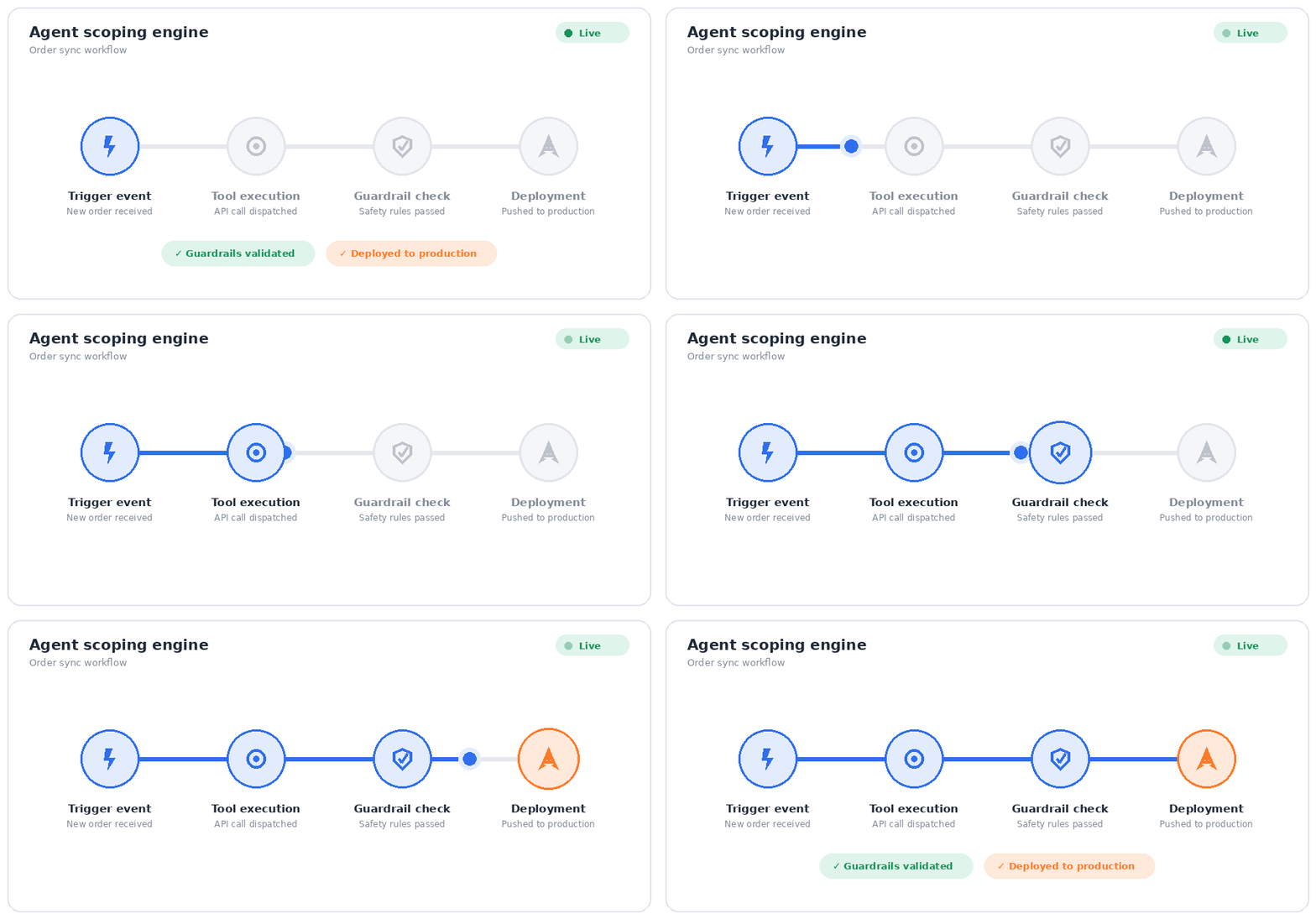
Unlike legacy architectures where developers must hardcode function definitions directly into LLM orchestration layers, agentic AI built on MCP operates through three standardized primitives:
- Define the Trigger: It is essential to define what gets the agent started, for example, a client request, an email, or an ERP update.
- Set Data Limits: An agent is equipped only with the tools (databases, SOPs, and APIs) that are required for the implementation of its task.
- Set Action Rules:Determining what the agent can access, modify, or update is critical.
- Set Escalation Rules: If cases are unusual and cause doubts, humans should intervene in their resolution.
4 Key Pillars of a Production-Ready AI Agent
In order to have successful agent deployment, focus on four aspects:
- Clearly Defined Goal: It is paramount to state only one task and indicate the criteria for success.
- Tool Accessibility: The agent must be given access only to those tools (APIs, systems, etc.) that it uses for work.
- Limited Context: Supply the agent with the right knowledge, instructions, and data it needs for performing the task.
- Human Approval: One should outline the conditions for human approval of agents’ activities, particularly for sensitive actions such as making financial decisions.
💡 Unsure how to frame your initial AI project scope?
Avoid budget waste and integration delays. Book a Free 15-Minute Project Scoping Session with our lead solutions architects to map your top workflow into a 60-day rollout plan.
High-Impact Workflows for Quick AI Wins
Businesses can get faster results from AI agents for business by starting with simple, repetitive workflows that solve clear operational problems.
1. Lead Enrichment & Qualification
AI agents process new sales leads, verify their profiles, update HubSpot or Salesforce databases and forward qualified sales leads to appropriate account managers.
2. Invoice & PO reconciliation.
AI agents verify supplier invoices against purchase orders from SAP or NetSuite.
3. Returns and exchanges.
AI agents verify customer orders and warranties, generate return/exchange labels and update inventory records.
4. IT provisioning.
AI agents manage IT support requests, check employee access rights, provision software via APIs, and update helpdesk tickets automatically.
Our systems engineering team has helped enterprise clients build focused AI workflows that deliver real results. In one case, we helped a mid-market company reduce manual invoice processing costs by 61% while maintaining compliance and avoiding unhandled errors. Review the full case study
A Non-Technical Leader’s Guide to Scoping AI Development
Working with a specialized AI agent development company makes the scoping process easier. The project can be broken down into four clear and predictable phases:
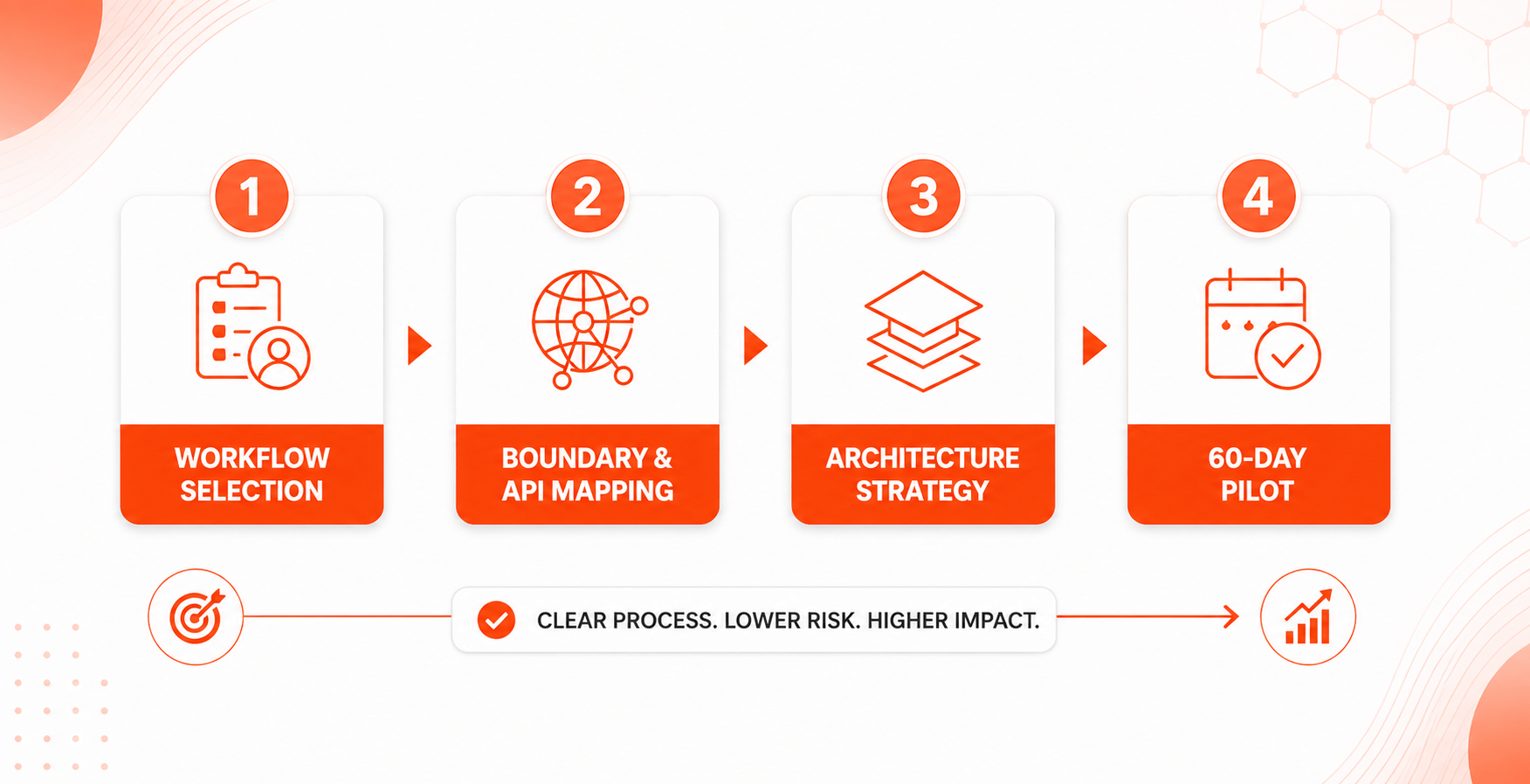
Phase 1: Choose a High-Volume, Focused Process
Start with one repetitive task that happens often and has clear inputs and results. Avoid vague goals like “improve back-office operations.”
Phase 2: Set Data Access and Safety Rules
Decide what data the agent can access, what it can change, and which actions need approval from a manager. Use role-based access controls (RBAC) to keep everything secure.
Phase 3: Choose the Right Architecture
- Pre-Built SaaS Modules: Quick to set up and useful for common CRM tasks, but usually limited to the vendor’s platform.
- Custom Agentic Frameworks: A tailored AI agent development approach built around your software, workflows, and security needs. This gives you more flexibility and control.
Phase 4: Run a Governed 60-Day Pilot
Start by running the AI agent alongside your team. Track accuracy, completion time, costs, and how often people need to step in. Use these results to decide when the agent is ready to handle more tasks.
🚀 Accelerate Your Project Scoping Strategy
Ready to scope and deploy high-impact autonomous workflows in your business?
Reducing Risk: Security, Governance, and ROI
To keep your AI project on track and build confidence with leadership, address the main risks early in the planning stage:
- Set Clear Guardrails: An AI agent making the wrong change in a business system can cause serious problems. Test agents in a safe environment and limit what actions they can take.
- Limit System Access: Give agents access only to the data and systems they need. Use strict RBAC permissions to control what they can view or change.
- Track the Right Metrics: Before development starts, record key numbers such as processing time, error rates, and cost per task. This gives you a clear baseline for measuring ROI after deployment.
Frequently Asked Questions (FAQs)
The biggest problem is usually trying to do too much at once. Building an agent to handle an entire job can make the project too complex, leading to delays, security concerns, and difficult edge cases.
A well-planned AI agent focused on one specific workflow can often be tested in production within 6 to 8 weeks with an experienced AI agent development company.
Start with tasks that happen frequently and are repetitive, such as processing invoices, reviewing forms, or updating CRM records. Choose a workflow with clear goals and measurable results.
Not necessarily. Business leaders can define the workflow, rules, and expected results. A specialized AI agent development company can handle the technical architecture, integrations, security, and implementation.
Scope Your First AI Agent Project for Production Success
By narrowing your focus to a single, high-impact workflow and enforcing strict operational boundaries, your organization can avoid multi-month pilot delays and unlock measurable enterprise value.
Ready to scope your initial workflow and launch production-grade AI agents for business?