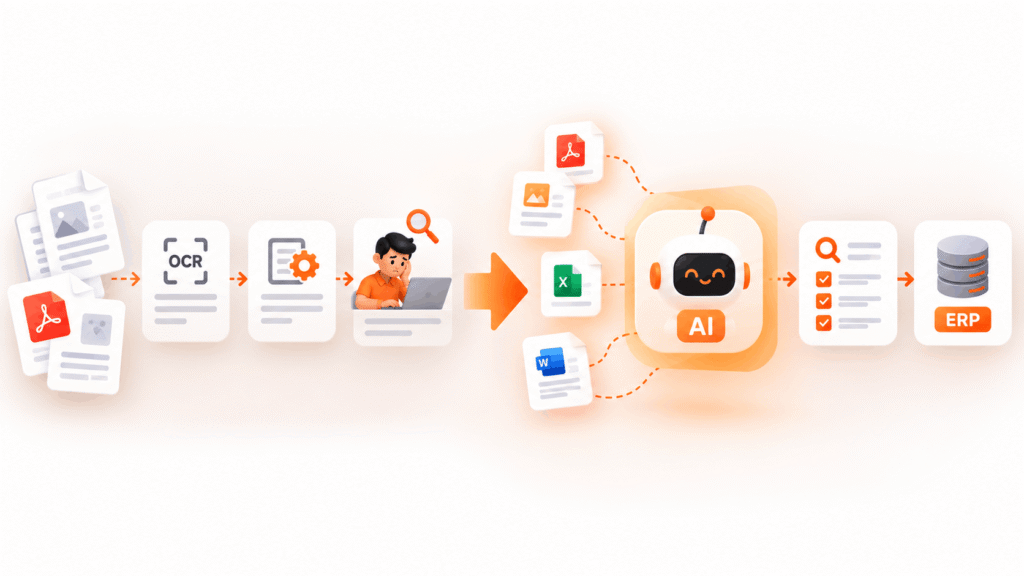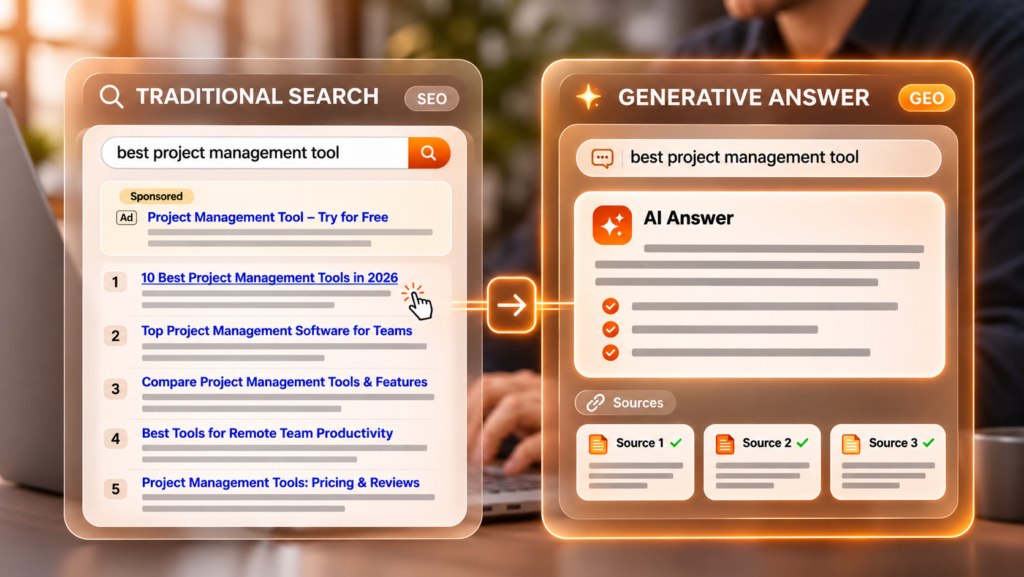
The implementation of technology without planning leads to waste of resources and budget, and strains teams. In order to move towards automated procedures, it is necessary to pay attention to planning in steps through a methodology leading to converting chaotic and time consuming manual processes into effective automated workflow. Collaboration with an expert AI automation company allows managers to concentrate on strategic projects rather than waste time on projects that are fruitless.
As Arvind Krishna, Chairman and CEO of IBM, noted on the transformational impact of modern enterprise software:
“AI is not just an opportunity to optimize what you already do, but an opportunity to re-imagine your business.”
According to a thorough study by McKinsey, enterprises that are getting the most value from automating processes are 2.8 times more likely to reinvent the way they do business than to just add new software to old broken processes. Achieving a sustainable operational edge in terms of innovation necessitates synchronizing engineering capabilities with unit economics. The methodology provided in this guide presents a comprehensive road map in a 90-day execution plan for owners of businesses looking to get the most efficiency out of their operations while ensuring an increase in their operational ROI.
Why Scaling Operations Requires AI Process Automation
In order to build a successful modern business while avoiding excessive operational costs, it’s critical to consistently remove unnecessary manual processes from the workflow. Many startups reach an operational ceiling as the top managers and their employees are required to spend time and efforts on unimportant administrative duties, such as data entry, order reconciliation, inventory updates, and constant customer service transfers.
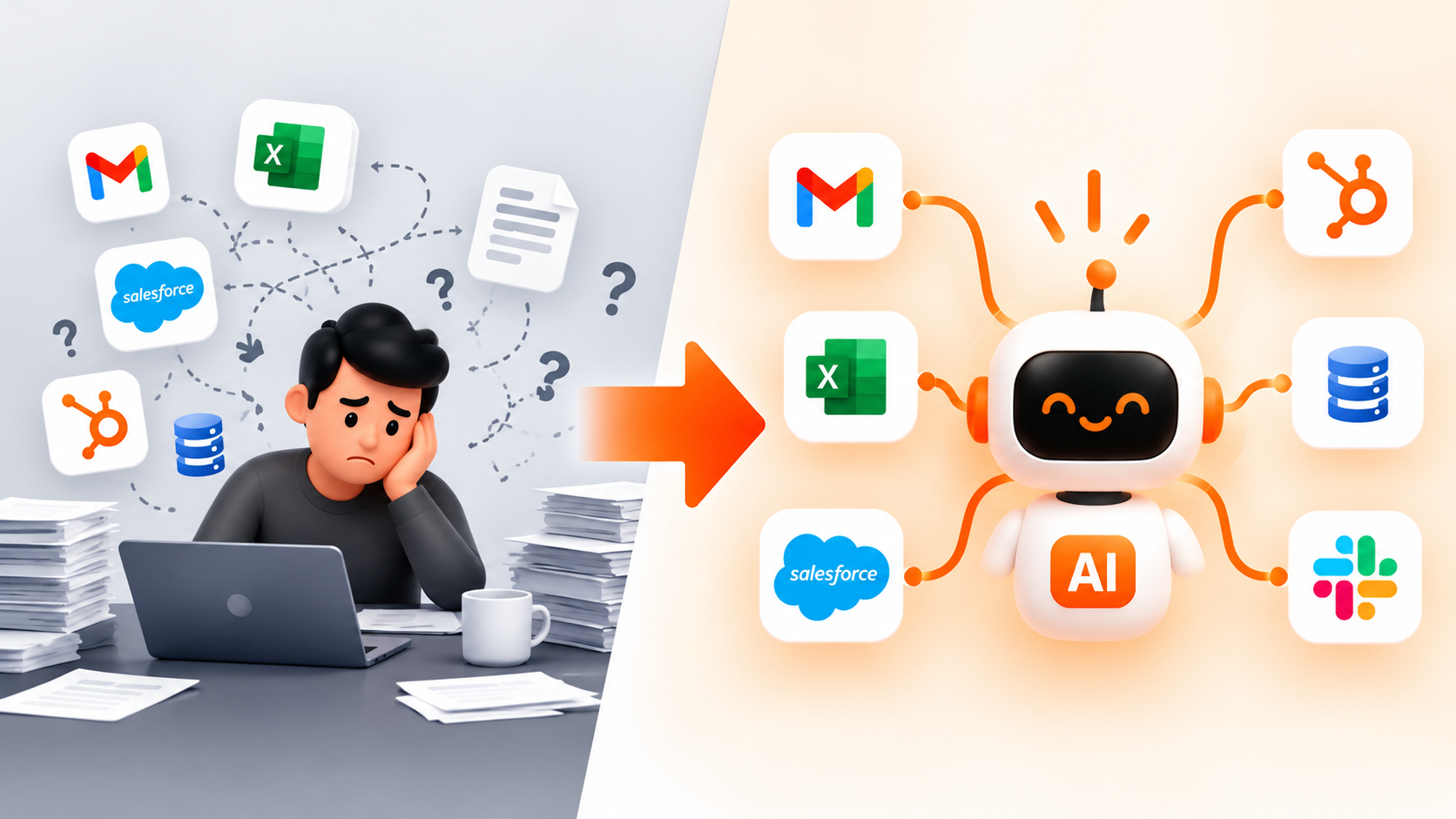
The implementation of comprehensive AI process automation provides your business with the flexibility of the volume of transactions as a measure of how far you can go in day-to-day tasks. There is no need for you to permanently increase costs involved in salaries just to have your data transported from one software application to another, since smart software solutions are able to do it for you at once. Being able to make such a transition in operations allows your company to save money on salaries and at the same time to minimize human error in essential parts of your business.
The True Cost of Manual Workflow Bottlenecks
When business processes depend on human intervention, it results in the accumulation of concealed operational disturbances in every division. Recognizing these problematic areas is crucial for achieving the change required to improve corporate performance
- Growth in Customer Latency – Manual handling of data causes delays in the processing. Whether you are confirming the customer’s refund, providing a personalized quote, or modifying the timetable for sending shipments, delays lead to the loss of customers.
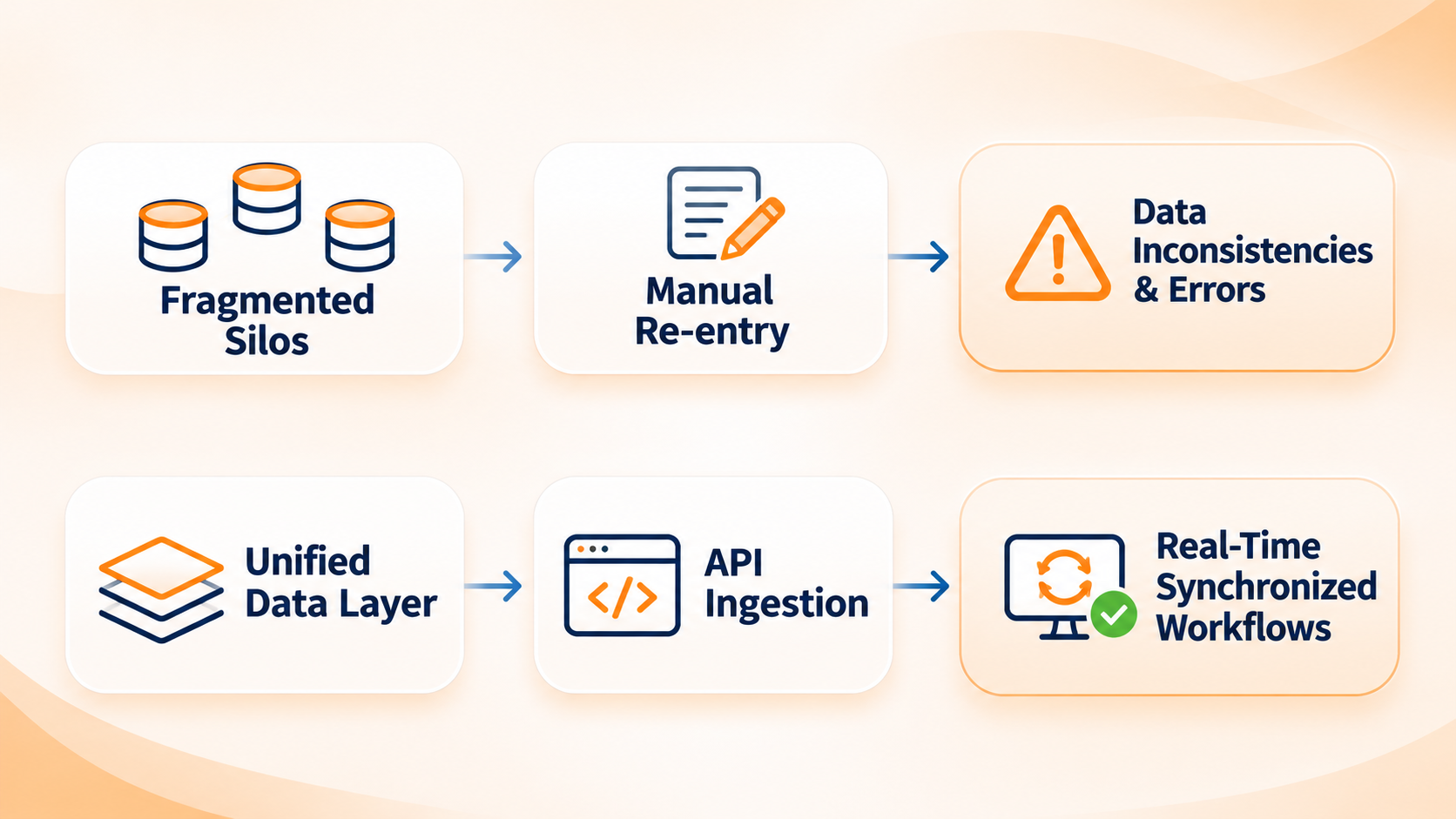
- Data Segregation – Having several spreadsheets and sets of software, which are disconnected from each other, leads to data separation. If the record keeping is inconsistent, there will be problems with shortage of goods, mistakes in billing, and faulty reports made by executives.
- Burnout and turnover of specialists – Hiring skilled professionals for operational processes and assigning them the work involving repetitive copying and pasting of information creates high turnover rates and low motivation.
- Unusual correlation of costs – The traditional business practice is such that it is necessary to hire twice as much staff while increasing business volume by the same factor, while automation allows one to achieve an increase in the volume of transactions automatically without growing the business.
💡 Mid-Post Strategy Check: Is your tech infrastructure struggling to keep up with daily order volume? Schedule a Free 15-Minute Operational Audit with our architects to map your highest-friction processes.
Phase 1 (Days 1–30): Assessment & Pilot Selection
The key to a smooth technology rollout is starting small by isolating a single, high-impact operational bottleneck. Attempting to overhaul every corporate department simultaneously introduces unnecessary operational risk, budget inflation, and team resistance.
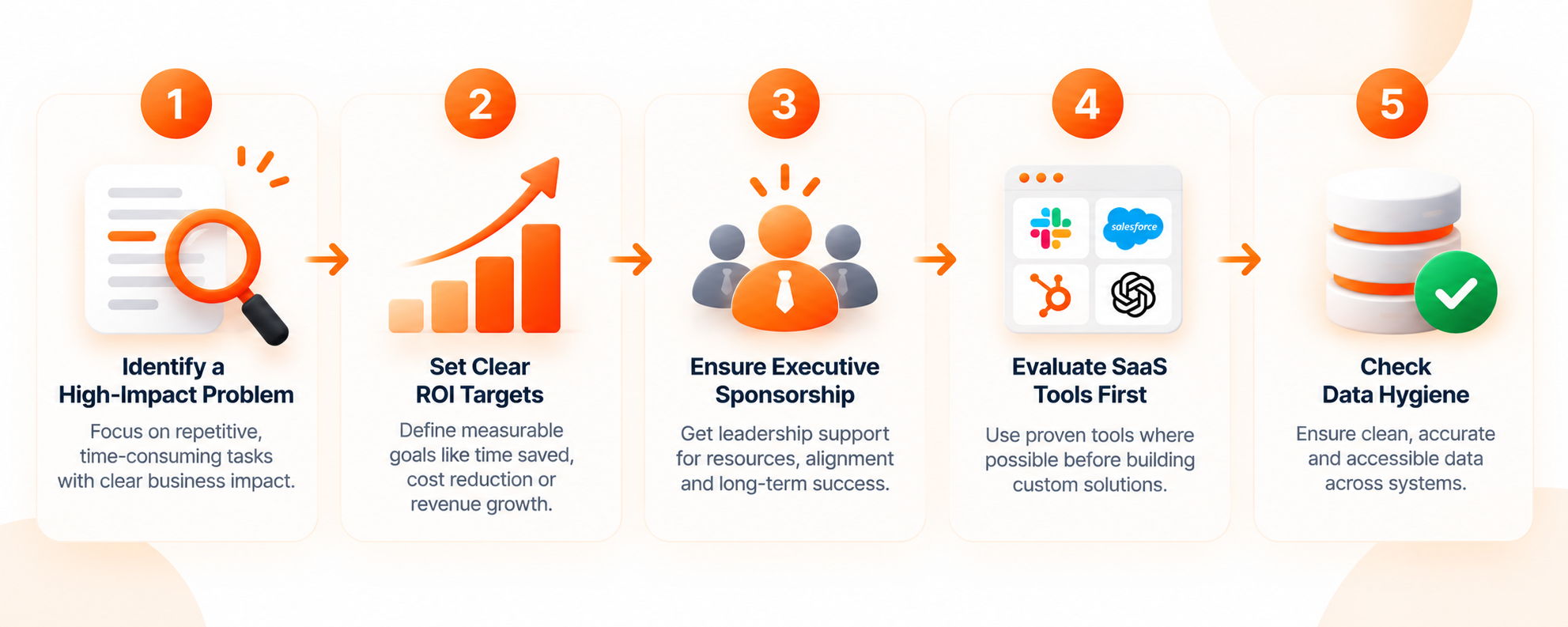
Pillar 1: Strategic Prioritization & Use Case Selection
Conduct an internal audit from the start of your business operations, paying particular attention to areas of your organization with repetitive, consistent and high-volume tasks.
- Identify a single clear business issue – Do not make vague claims. Rather pick a simple task like qualifying sales leads or processing vendor invoices.
- Set ROI goals clearly – Make sure you have the metrics against which to measure your success prior to implementation. Standard metrics such as 40% reduction in order handling time and cutting off customer service wait to less than two minutes are examples of typical goals.
- Check existing solutions first – Instead of developing custom software solutions, see if out-of-the box platforms can solve the problem. Custom solutions should only be made for proprietary advantages.
Pillar 2: Data Architecture & Governance Cleanup
Contemporary automation is basically reliant on structured and accurate operational data. Insufficient data hygiene then ensures that predictions are wrong and workflow processes are not accomplished.
- Check data availability – Check if the company’s operational data are structured, digitized and centralized. If important data is stuck in paper invoices or unstructured spreadsheets, then software integration can do nothing with that data.
- Check APIs functionality – Make sure that the company’s core tools like CRM, ERP and inventory database have stable and well-documented Application Programming Interfaces (APIs).
- Setup privacy measures – Make sure that strict security policies are implemented and that confidential customer data are safe via third-party software connections.
Unsure which workflow to target first? Discover how we helped a mid-market retailer cut manual order processing costs by 64% by restructuring their inventory database and integrating real-time API syncs.
Phase 2 (Days 31–60): Build & Integration
Once your pilot use case is validated and dataset readiness is confirmed, your technical team transitions to building, integrating, and configuring the underlying software bridges.
Deploying High-Performance AI Automation Services
They make it easy to ensure that customized software systems and outdated business solutions don’t end up generating technical liabilities and unstable systems.
- Build safe API connections – Use direct webhooks and protected API connectors to connect your main databases, CRM systems, and accounting programs.
- Install operation guidelines – Set boundaries for your system. Specify the automated processes that have been successfully performed on behalf of your company and those requiring reviewing by supervisors.
- Conduct sandbox testing – Process historic databases through the automated pipeline in a controlled environment. Check correctness, note edge situations, and conduct reliability tests prior to making contact with live production.
- Check Service Level Agreements (SLA) – Ascertain that your software suppliers guarantee high uptime and comply with privacy policies preventing them from using your company’s database for the purposes of nation learning.
Phase 3 (Days 61–90): Rollout & Scale
With sandbox testing finished and integration points verified, move your pilot system into live production under active executive oversight.
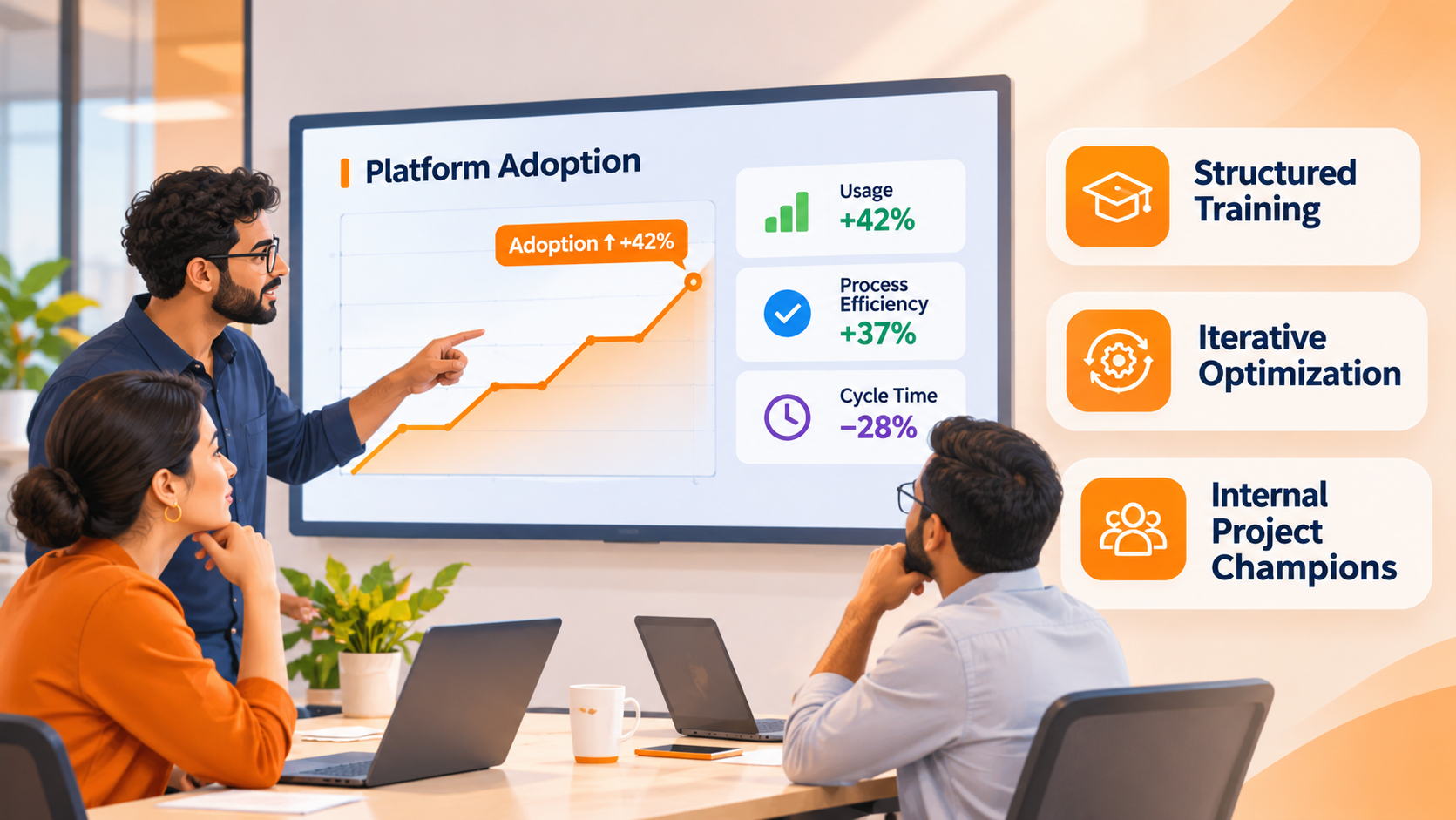
Driving Internal Adoption & Culture Alignment
While technology plays a role in the successful implementation of automation, the success of the process requires a well-trained team that is confident and willing to integrate new technologies into their daily operations.
- Assign internal champions – You must appoint project managers to supervise deployment, obtain feedback and monitor vendor performance.
- Train your employees – Start addressing any job security issues related to the new technologies by presenting the automation processes as a means of simplifying routine work for your people.
- Measure your results – Constantly measure key performance indicators including processing time, error rate, fulfillment time and cost.
- Improve and extend – Improve the accuracy of your system over time and merge your automation system with the departments of the company.
Working with a specialized AI automation company will allow your board to have more control over the business processes and to effectively boost business.
Key Pitfalls to Avoid During Implementation
Even well-funded digital transformation projects can falter if leadership loses focus on core operational fundamentals. Avoid these four common implementation traps:
| Common Pitfall | Executive Impact | Recommended Solution |
| Automating Broken Processes | Accelerates processing errors and exacerbates operational chaos. | Re-engineer and standardize Standard Operating Procedures (SOPs) before applying software solutions. |
| Neglecting Total Cost of Ownership (TCO) | Unexpected budget overruns due to usage fees and platform maintenance. | Account for software licensing, API call volume, team training hours, and ongoing technical support upfront. |
| Lack of Human-in-the-Loop Oversight | High-risk financial or operational errors go unnoticed until customer impact occurs. | Implement strict approval thresholds for high-stakes actions (e.g., approving customer refunds over $1,000). |
| Siloed Technical Execution | Software built by IT fails to meet the practical day-to-day needs of operational staff. | Involve end-user operational teams in the design phase to guarantee workflow usability and fast adoption. |
Frequently Asked Questions (FAQs)
In most cases, companies experience efficiency gains within 30 days of starting their first automation project. A complete ROI is usually achieved within 60-90 days and is associated with the decrease in human errors in the processing of orders, increase in speed of order processing, and the possibilities to assign employees from manual activities to focused revenue-generating activities.
No, since the architecture of modern automation does not require the replacement of the existing software stack. Intelligent software layers used in automation solutions operate on one level above existing CRM, ERP, and accounting software, and they integrate with them through using secure API connections and webhooks with the help of database connections.
No, since the architecture of modern automation does not require the replacement of the existing software stack. Intelligent software layers used in automation solutions operate on one level above existing CRM, ERP, and accounting software, and they integrate with them through using secure API connections and webhooks with the help of database connections.
Aim for target processes that have a high frequency and repetition of some kind of business procedure with structured data outputs. Processes where automation makes most sense are the ones involving qualification for incoming leads, refunds, automation of the inventory system, notifications of delivery status, and reconciliation of invoices.
Ready to Streamline Your Operations?
Stop letting manual workflow bottlenecks restrict your company’s growth potential and drain valuable engineering bandwidth. Partner with an experienced AI automation company to design, build, and deploy high-yield automated systems aligned directly with your strategic business goals.